


MICROSOFT 365 · SOUTH WALES
Microsoft 365, actually managed
From £30 a month for the whole company up to fifteen staff, not per user. Migration, licensing, security settings and independent backup for businesses across Bridgend, Cardiff, Swansea, Newport and the rest of South Wales. Microsoft licences sit on top at Microsoft's published price, shown as their own line.
- Charged per company, not per user
- Licences at Microsoft's published price
- Backup included, and restore tested
Trusted by businesses across South Wales

























Pricing
What it costs
Ring three providers and ask what they charge. You will get three discovery calls and no numbers. Ours are published, excluding VAT, with out-of-scope work quoted before it starts rather than after.
See all pricesExcluding VAT. Third-party licences are shown as their own line on your invoice, separate from what you pay us.
The day to day
What is included
Everything below is in the price. Anything that is not is listed further down, before you have to ask.
Licence management
The right licence for each person, reviewed as people join and leave, so you stop paying for staff who went last year.
Security set up to the limit of your licence
Two-step login, company branding on the sign-in page, and the controls your plan actually includes. What is available depends on which licence you hold, and the comparison further down shows where the line falls.
Independent backup, restores tested
A separate copy of mailboxes, SharePoint, OneDrive and Teams, held away from Microsoft. We pull real data back on a schedule and record the result, because a backup nobody has restored from is a hope.
Starters and leavers
Accounts created, access granted, and properly closed when someone leaves rather than left open and paid for.
Shared mailboxes and groups
Set up so the right people see the right things, and so an inbox does not die with the person who owned it.
SharePoint and Teams structure
Somewhere sensible to put files, with permissions that make sense to a human being.
A named engineer
The same person each time, who knows how your tenant is set up and does not need it explained again.
The bit nobody reads
What Microsoft looks after, and what is yours
Microsoft publishes this split in its own agreement. Almost nobody reads it, and it is the single biggest misunderstanding we meet.
| Who | What they are responsible for |
|---|---|
| Microsoft | Keeping the service running. The data centres, the uptime, the software itself. If 365 goes down, that is theirs to fix. |
| You | The data inside it. Your mail, your files, your Teams history, and your staff accounts. |
| Also you | Anything deleted, overwritten, encrypted by an attacker, or removed by someone who left on bad terms. |
Microsoft calls this shared responsibility. In plain terms: they keep the building standing, you look after what is in your office.
The deleted items folder is not a backup. It empties on a timer, and the default is shorter than most people expect.
This is not a criticism of Microsoft. It is how the service is sold, and it is written down. The problem is that it is written down somewhere nobody looks.
The gap most businesses have
Microsoft does not back up your data
This is the sentence that surprises people most, and it is worth being exact about it. Microsoft keeps the service available. It does not keep a copy of your data that you can go back to after something has gone wrong.
The three ways that bites, in the order we actually see them: somebody deletes a folder and notices six weeks later, an attacker gets into one account and works through the mailbox, and someone leaves and their account is closed along with everything in it.
So backup is included rather than sold as an extra. A separate copy, held away from Microsoft, and a restore we have genuinely tested rather than a job that reported success to nobody.
If you want the detail on retention, what is covered and how a restore actually runs, that is on the cloud backup page rather than buried here.
Asked for most
Signatures and filtering, set up centrally
Two things come up in almost every conversation about 365, and both are the sort of job that quietly never gets done because nobody owns it. Both are priced separately from the management fee, because not everybody wants them.
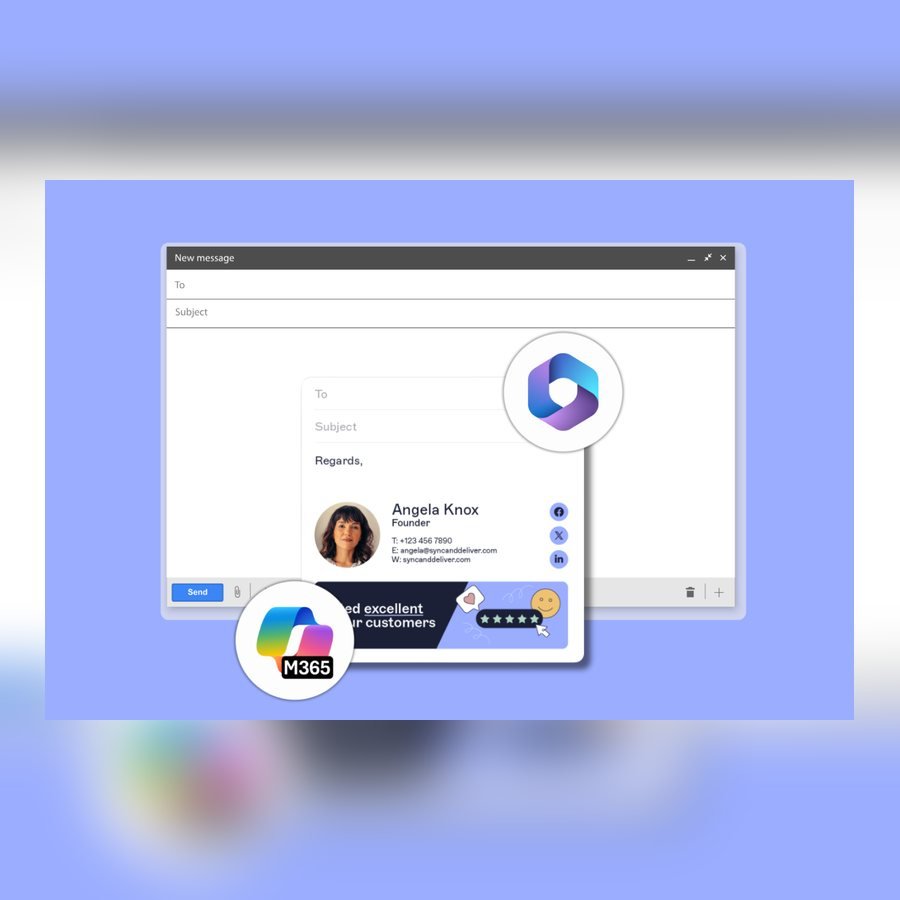
Email signatures
Left to staff you end up with four versions of the company name, three logos at different sizes, somebody still listing a number from two offices ago, and nothing at all on mail sent from a phone, because a signature set up on a laptop does not follow anyone to their mobile.
Managed centrally there is one template, it applies to everybody including phones, and it can be changed across the whole company in an afternoon without asking a single person to paste anything.
There is a legal side that catches limited companies out, too. A business email counts as a business letter, so it has to carry the registered company name, the company number, where the company is registered and the address of the registered office. Most signatures we inherit carry none of it.

Spam and threat filtering
Microsoft screens mail already and it handles obvious spam perfectly well. The message that costs money is never the obvious one: an invoice with changed bank details from a real supplier whose account has been taken over, or from a domain one character different from theirs.
That wants links checked at the moment somebody clicks rather than when the mail arrived, attachments opened somewhere safe first, and a visible warning on anything pretending to come from a colleague.
Choosing a licence
Basic, Standard or Premium
Three plans cover almost every business. The difference that matters is not the apps, it is how much of the security we can switch on afterwards.
| What you get | Basic | Standard | Premium |
|---|---|---|---|
| Email, calendar, Teams and 1TB of file storage | Yes | Yes | Yes |
| Word, Excel and Outlook in a browser | Yes | Yes | Yes |
| Two-step login and sign-in branding | Yes | Yes | Yes |
| Word, Excel and Outlook installed on the computer | No | Yes | Yes |
| Rules about who can sign in, from where and on what | No | No | Yes |
| Company laptops and phones managed, and wiped if lost | No | No | Yes |
| Stronger protection against attachments and links | No | No | Yes |
| Cost per user, per month, on an annual commitment | From £5.40 | From £10.80 | From £16.90 |
Premium is the one worth paying for in most businesses of five to fifty staff, because it is the plan that lets us do the security work rather than just talk about it. Below it we can turn on two-step login and little else.
You do not have to put everyone on the same plan. A warehouse team that only needs email on a phone does not need what the office needs, and mixing plans is normal.
The prices on the bottom row are Microsoft's rather than ours. You pay what Microsoft charges, shown as its own line on your invoice, and we quote the current figure with your proposal because Microsoft changed these twice last year.
Those figures assume a twelve month commitment to Microsoft, which is how almost everybody buys them and is the cheaper way. Paying month to month instead costs roughly twenty percent more and commits you to nothing. Worth knowing which you are being quoted, because our own support agreement stays on thirty days notice either way: the licence term is Microsoft's, not ours.
Worth asking about
Licences most businesses never hear about
Microsoft prices some licences very differently depending on who you are and what the person does. These are the three that save our clients the most, and almost nobody is told about them.
Frontline
For staff who do not sit at a desk: warehouse, care, hospitality, drivers. Email and Teams on a phone at a fraction of a full licence. If half your people never open a laptop, this is the biggest saving on the list.
Charity and non-profit
Microsoft discounts heavily for registered charities, and the terms change from time to time. We check what you currently qualify for rather than assume, because it has moved twice in two years.
Education
Schools, colleges and training providers are priced on their own scale, and staff and students are counted differently. Worth checking before anyone buys a commercial licence by mistake.
Eligibility is Microsoft's decision rather than ours, so we check it with them rather than promise it. If you qualify we will tell you even where it reduces what you pay us.
Moving across
What a migration actually looks like
A migration is quoted as a project before it starts rather than folded into the monthly fee, because the work depends entirely on what you are moving from and how much of it there is. What follows is how one runs.
We look at what you have
Where mail lives now, how much of it there is, what is shared, and which bits people would notice immediately if they went missing.
We copy before we switch
Mail and files are copied across while the old system is still running. Nothing is turned off until the new one is holding the same data.
The switch happens out of hours
Usually a Friday evening. The change people see on Monday is signing in once and carrying on.
We stay on it for the first week
The small things surface in week one: a shared calendar nobody mentioned, a printer that scanned to an old address. We expect those rather than treat them as faults.
Being straight about it
Who this suits, and who it does not
It suits a business that already runs on Microsoft 365, or is about to, and has nobody whose job it is to look after it. That is most businesses between five and fifty staff.
If you have a capable IT person in house and you only want the backup, say so and we will quote that on its own rather than wrap it in management you do not need.
If you run on Google Workspace, this is not your page. We support Google too, but the pricing and the arguments are different and we would rather talk than have you read the wrong thing.
Questions
Microsoft 365 and backup, answered
What will this actually cost us a month?
Two lines, and they are kept apart on purpose. Our management fee starts at £30 a month for a business of up to fifteen staff, charged per company rather than per head, and rises with size above that. Then the Microsoft licences themselves, which depend on which plan each person needs and start around £12 a user. We will put both numbers in front of you before you sign anything.
Why charge per company rather than per user?
Because the work does not scale neatly with headcount. Setting up conditional access takes about the same effort whether it protects nine people or fifteen, so charging per head would mean the fifteen-person business subsidising nothing in particular. It also means taking on a new member of staff costs you a licence rather than a licence plus another management fee.
How are the Microsoft licences charged?
At Microsoft's published price, shown as their own line on your invoice, separate from what you pay us. You pay no more for a licence through us than you would buying it direct, and you can see exactly which part of the bill is ours.
Do we need Business Premium, or will Standard do?
Standard covers mail, Office and file storage. Premium adds the security and device management, which is what makes two-step login and conditional access workable across a whole company. For most businesses of five to fifty staff Premium is the one worth paying for, but we will tell you if Standard genuinely covers what you do rather than upsell you by default.
We already have 365 but nobody manages it. Can you take it over?
Yes, and it is the more common of the two starting points. We audit the tenant first: who has access, which licences are being paid for, what is switched on and what should be. You get that in writing before anything changes, and the urgent items are fixed as part of onboarding.
How long is the backup kept for?
Long enough that a deletion noticed months later is still recoverable, which is the scenario that actually catches people out. The exact retention is set when we scope it, and the detail of how far back you can go lives on cloud backup, because it depends on what you keep and what your sector expects of you. It is written into your agreement rather than left vague.
Will we lose any email history when we move?
No. Mail, calendars and contacts come across with their folder structure and their dates, and we copy before we switch so the old system is still there if anything is missing. Shared mailboxes and distribution groups move too, which is the part a rushed migration usually drops.
Can we keep our own domain name and email addresses?
Yes. Your addresses do not change and your domain stays yours. If the domain is currently registered by a previous provider we will get it moved into your own name as part of the work, because a domain you do not control is a problem waiting for a renewal date.
What about Copilot?
Copilot works on what it can see, so the honest answer is that most businesses are not ready for it: turn it on where permissions have grown wild and it will cheerfully surface the payroll spreadsheet to everyone. We run that as a separate fixed-fee piece of work rather than a tick box on this page, and it is set out on Copilot and AI readiness.
Services that go with this
We cover South Wales from Pembroke and Narberth in the west to Newport in the east, and from Barry up to Brecon. On-site visits are included on the Professional and Advanced support plans, and quoted before we travel on Essential. See the towns we cover
A free review, and an honest answer
An hour of our time, on site. You get a written list of what is fine, what is risky and what is costing you money. If everything is healthy, we will tell you that and leave you to it.